How to Log In
Follow the steps below to log in to the Talent Development Portal using your MGS Google account.
- Click Log In at the top right of the page, or the Log In button in the centre of the homepage.
- You will be redirected to the Google sign-in page.
- Enter your MGS Google email address and click Next.
- Enter your MGS email password, then click Next to log in successfully.
- Upon successful login, you will be redirected to your Dashboard.
Having Trouble Logging In?
Make sure you are logging in using your MGS Google account (ending with
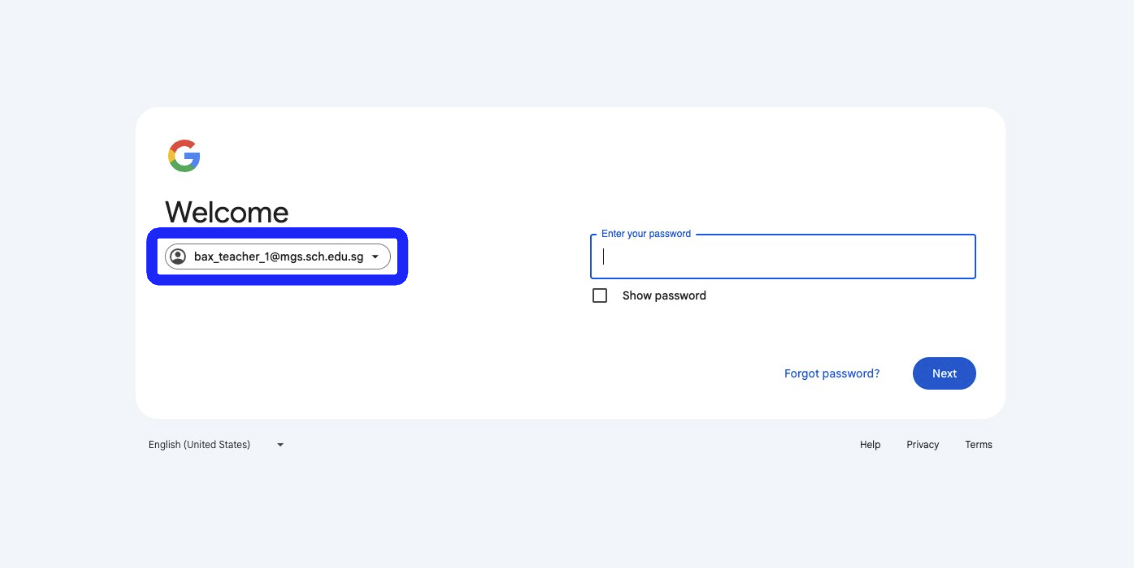
@mgs.sch.edu.sg).If you are signed in to a personal Google account, please log out and select your MGS email when prompted on the Google sign-in page.
Related Articles
How to Log In
Follow the steps below to log in to the Talent Development Portal using your MGS Google account. Click Log In at the top right of the page, or the Log In button in the centre of the homepage. You will be redirected to the Google sign-in page. Enter ...Using the Navigation Bar
The navigation bar is your main tool for moving around the Talent Development Portal. It allows you to access key features such as events, surveys, articles, and your account settings. Below is a breakdown of each item on the navigation bar and what ...Understanding Your Dashboard
Once you log in, you will be directed to your Dashboard. This is your main homepage, where you can view your activities on the platform. Accessing Your Dashboard If you are on another page, you can return to your dashboard by clicking your profile ...Creating & Managing Event Public Links
Public links allow you to share selected events externally without requiring users to log in. Follow the steps below to create and manage public links. Creating a Public Link Click Events on the navigation bar. Select Manage Events. Identify the ...Understanding Your Dashboard
Once you log in, you will be directed to your Dashboard. This is your main overview page, where you can monitor activity, review key statistics, and access important updates. Accessing Your Dashboard If you are on another page, you can return to your ...